
Download Unmixr – AI Writing Assistant, Voiceover, Transcription & Image Generation Tool
Overview
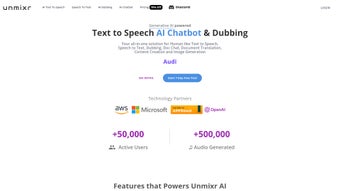
Unmixr is a comprehensive, web‑based AI platform that brings together voiceover synthesis, automatic transcription, advanced copywriting, and image‑generation capabilities under a single subscription. Designed for content creators, marketers, educators, and developers, Unmixr eliminates the need to juggle multiple SaaS tools by offering a unified workspace where text, audio, and visuals can be produced, edited, and refined in real time. With a library of more than 1,000 distinct voices spanning 104 languages and 155 regional accents, the voiceover engine can deliver natural‑sounding narration for podcasts, e‑learning modules, explainer videos, and even gaming dialogues.
The transcription module uses state‑of‑the‑art speech‑to‑text models to convert audio or video files into accurate, searchable text within seconds, supporting multiple file formats and offering options for timestamps, speaker identification, and custom vocabularies. Beyond media processing, Unmixr’s AI chatbot and editor act as on‑demand writing assistants. The chatbot can answer research questions, suggest outlines, and draft short‑form copy, while the editor provides tools for rewriting, simplifying, expanding, or polishing long‑form content.
Beta features such as AI Templates and an integrated image generator allow users to quickly prototype marketing assets, social media graphics, or blog illustrations without leaving the platform. Security‑first architecture, regular updates, and a responsive support team ensure that the service stays reliable, fast, and compliant with major data‑privacy regulations. Whether you are a solo freelancer looking for a free trial or an enterprise seeking a scalable solution, Unmixr promises a streamlined workflow that saves time, reduces cost, and boosts creative output.
Core Features of Unmixr
- Voiceover Studio: Over 1,000 AI‑generated voices, 104 languages, 155 accents; customizable speed, pitch, and emotion; batch processing for large projects.
- AI Transcription: Instant conversion of audio/video to text; support for MP3, MP4, WAV, and more; speaker diarization, timestamps, and export to DOCX, PDF, or SRT.
- Chatbot Assistant: Real‑time Q&A, brainstorming, and content outline generation; context‑aware suggestions based on your project folder.
- Content Editor: Rewriting, simplifying, expanding, and SEO‑optimizing tools; built‑in plagiarism checker; style presets for blog, ad copy, technical docs.
- AI Templates (Beta): Ready‑made structures for newsletters, landing pages, product descriptions; one‑click population with brand‑specific language.
- Image Generation (Beta): Text‑to‑image AI that creates royalty‑free graphics; adjustable resolution, style filters, and background removal.
- Collaboration Hub: Team workspaces, version history, comment threads, and permission levels; integrates with Google Drive, Dropbox, and GitHub.
- Secure Cloud Storage: End‑to‑end encryption, GDPR compliance, and automatic backups; data retention controls for enterprise users.
- Continuous Updates: Monthly model improvements, new voice additions, and feature rollouts; users receive update notifications directly in the dashboard.
Installation, Setup & How to Use Unmixr Effectively
Because Unmixr is fully hosted in the cloud, there is no traditional download or installer required. To get started, visit unmixr.com, click the “Start Free Trial” button, and create an account using your email address or single‑sign‑on (SSO) options such as Google or Microsoft. After confirming your email, you’ll be taken to the main dashboard where a quick onboarding wizard guides you through the essential setup steps:
- Choose a Workspace: Select “Personal” for solo projects or “Team” if you plan to collaborate with colleagues. You can later add additional members and assign roles (Admin, Editor, Viewer).
- Configure Preferences: Set default language, preferred voice profile, and transcription accuracy level (Standard vs. Premium). These preferences are saved per workspace, ensuring consistent output across sessions.
- Upload Media: Drag‑and‑drop audio or video files into the “Transcribe” tab, or paste a URL for online media. Unmixr automatically detects the language and begins processing; you can monitor progress in the activity feed.
- Generate Voiceovers: In the “Voiceover” section, type or paste your script, select a voice, and adjust parameters like speed and emotion. Click “Render” and the system will produce an MP3 file ready for download or direct embedding.
- Leverage the Chatbot: Use the chatbot window to ask for content ideas, rewrite suggestions, or quick fact checks. The bot can also pull in recent transcriptions to keep the context relevant.
- Polish with the Editor: Import the transcription or any drafted text into the editor. Choose a style preset (e.g., “Professional Blog” or “Ad Copy”) and let the AI rewrite, simplify, or expand the content. Use the built‑in SEO analyzer to optimize keywords and readability.
- Export & Share: When you’re satisfied, export the final assets—audio, text, or images—to your preferred format or push directly to cloud storage services linked in the Collaboration Hub.
Tips for maximum efficiency: enable “Auto‑Save” to capture every change, use the “Batch Mode” when processing multiple files, and explore the “Template Library” for recurring content types. Because everything runs in the browser, you can work from any device with an internet connection, and your work is instantly synced across platforms.
Compatibility, Pros & Cons
Unmixr is a true SaaS solution, meaning it works on any modern operating system that supports a recent web browser. Whether you’re on Windows 10/11, macOS Monterey or later, Chrome OS, or Linux, you’ll have full access. Mobile users can also take advantage of the responsive design on Android (Chrome, Edge) and iOS (Safari, Chrome) browsers. No additional plugins or extensions are required, though a stable broadband connection (minimum 5 Mbps) is recommended for optimal transcription and voice synthesis performance.
Pros
- All‑in‑one platform eliminates the cost and hassle of managing multiple subscriptions.
- Extensive voice library with multilingual support opens global market opportunities.
- Accurate, fast transcription with speaker identification speeds up content repurposing.
- AI editor and chatbot accelerate the writing process and reduce writer’s block.
- Beta image‑generation feature adds visual creativity without leaving the dashboard.
- Secure cloud storage and GDPR compliance protect sensitive data.
- Collaboration tools and integrations streamline team workflows.
Cons
- Being entirely cloud‑based means you need a reliable internet connection; offline work isn’t possible.
- Advanced voice customizations (e.g., custom voice cloning) are only available on higher‑tier plans.
- Beta features (Templates, Image Generator) may still have occasional glitches or limited style options.
- Pricing can become steep for large teams that require many seats and premium transcription accuracy.
- Export formats are comprehensive but some legacy formats (e.g., older video codecs) may need conversion before upload.
Frequently Asked Questions
Is there a free version of Unmixr or a trial period?
Yes. Unmixr offers a 14‑day free trial with access to all core features, including voiceover, transcription, and the AI editor. After the trial, you can continue with a paid subscription or downgrade to a limited free tier that still allows basic text generation and a small selection of voices.
How accurate is the AI transcription for noisy audio files?
Unmixr’s transcription engine uses deep‑learning models trained on diverse audio datasets. For clear speech, accuracy exceeds 96 %. In noisy environments, the “Premium” accuracy mode applies additional noise‑reduction preprocessing, boosting results to around 92 %. Users can also manually correct transcripts, and the system learns from those edits to improve future accuracy.
Can I upload my own custom voice for brand‑specific narration?
Custom voice creation is available on the Enterprise plan. You provide a set of recorded samples (minimum 30 minutes) and Unmixr’s voice‑cloning team builds a unique synthetic voice that matches your brand’s tone. The resulting voice can be managed alongside the public library.
What file formats does Unmixr support for import and export?
Import formats include MP3, WAV, AAC, MP4, MOV, and WebM for audio/video. Export options cover MP3, OGG, and WAV for voiceovers; DOCX, PDF, TXT, and SRT for transcriptions; and PNG, JPEG, and SVG for generated images. The platform also offers direct export to Google Drive, Dropbox, and OneDrive.
Is my data safe when using Unmixr?
Security is a top priority. All data is encrypted in transit (TLS 1.3) and at rest (AES‑256). Unmixr complies with GDPR, CCPA, and ISO 27001 standards. Enterprise customers can enable additional controls such as IP‑whitelisting, single‑sign‑on (SAML), and data residency options.
Conclusion – Why You Should Download Unmixr Today
If you’re looking for a single, secure, and continuously updated AI tool that can handle voiceovers, transcriptions, copywriting, and even image generation, Unmixr stands out as a compelling choice. Its multilingual voice library, rapid transcription engine, and intelligent writing assistant dramatically cut production time while keeping quality high. The web‑based nature means you can work from any device, and the collaboration suite makes teamwork effortless. While a stable internet connection is required and some premium features are locked behind higher‑tier plans, the overall value—especially when you factor in the cost of multiple competing subscriptions—makes Unmixr a smart investment for freelancers, agencies, and enterprises alike. Start your free trial now, experience the seamless workflow, and see how Unmixr can transform the way you create content.



.png)



